Roomies
Website where you can design a little room for yourself.
I started by making the page where you can edit your room. There are dropdown menus for walls and floor, and a list of furniture split into categories. The room is drawn using a canvas.
<!-- Edit.cshtml -->

<canvas id="canvas" width="569" height="450" class="w-100 mb-5"></canvas>
// editRoom.ts

function draw(): void {
	drawBackground();
	context.drawImage(trashIcon, 0, canvas.height - trashIcon.height);
	for (let index = 0; index < furniture.length; index++) {
		if (index === hoverIndex) {
			context.globalAlpha = 0.75;
			if (hoverTrash) {
				context.globalAlpha = 0.25;
			}
		}
		context.drawImage(furniture[index].image, furniture[index].x, furniture[index].y);
		context.globalAlpha = 1.0;
	}
}
Clicking on furniture from the list adds it to the canvas, where you can then click and drag to move it around. You can also drag it to the trash can to remove it from the canvas.
// editRoom.ts

function addFurniture(name: string): void {
	const image = new Image();
	const x = 0;
	const y = 0;
	furniture.push({ name, image, x, y });
	image.addEventListener("load", draw);
	image.src = "/img/furniture/" + name + ".png";
}

document.addEventListener("mousemove", event => {
	const scale = canvas.width / canvas.clientWidth;
	cursorPosition.x = (event.clientX - canvas.offsetLeft) * scale;
	cursorPosition.y = (event.clientY - canvas.offsetTop) * scale;
	if (holding) {
		let x = cursorPosition.x + holdOffset.x;
		if (x < 0) {
			x = 0;
		} else if (x + furniture[hoverIndex].image.width > canvas.width) {
			x = canvas.width - furniture[hoverIndex].image.width;
		}
		furniture[hoverIndex].x = x;
		let y = cursorPosition.y + holdOffset.y;
		if (y < 0) {
			y = 0;
		} else if (y + furniture[hoverIndex].image.height > canvas.height) {
			y = canvas.height - furniture[hoverIndex].image.height;
		}
		furniture[hoverIndex].y = y;
		hoverTrash = false;
		if (cursorPosition.x >= 0 &&
			cursorPosition.x <= trashIcon.width &&
			cursorPosition.y >= canvas.height - trashIcon.height &&
			cursorPosition.y <= canvas.height
		) {
			hoverTrash = true;
		}
	} else {
		hoverIndex = -1;
		for (let index = furniture.length - 1; index >= 0; index--) {
			if (cursorPosition.x >= furniture[index].x &&
				cursorPosition.x <= furniture[index].x + furniture[index].image.width &&
				cursorPosition.y >= furniture[index].y &&
				cursorPosition.y <= furniture[index].y + furniture[index].image.height
			) {
				hoverIndex = index;
				break;
			}
		}
	}
	draw();
});
When clicking the save button it calls a function that converts the room both to a JSON string and an image encoded as a base 64 string. It then puts those strings in a form and sends the form to the save action.
<!-- Edit.cshtml -->

<form asp-action="Save" id="form" class="d-none">
	<input type="text" name="Image" id="imageInput">
	<input type="text" name="Data" id="dataInput">
</form>
<button class="btn btn-primary mb-3 fs-5" onclick="save()">Save</button>
// editRoom.ts

function save(): void {
	const roomData = { floor: floorSelect.value, leftWall: leftWallSelect.value, rightWall: rightWallSelect.value, furniture: [] };
	drawBackground();
	for (let item of furniture) {
		context.drawImage(item.image, item.x, item.y);
		roomData.furniture.push({ name: item.name, x: item.x, y: item.y });
	}
	(document.getElementById("imageInput") as HTMLInputElement).value = canvas.toDataURL();
	(document.getElementById("dataInput") as HTMLInputElement).value = JSON.stringify(roomData);
	(document.getElementById("form") as HTMLFormElement).submit();
}
When the save action receives the strings it saves the room as a PNG image and a JSON file. The JSON data is used when editing the room, but for displaying the room it would be unnecessary to draw with a canvas and so the image is used instead.
// HomeController.cs

[HttpPost]
[ValidateAntiForgeryToken]
public async Task<IActionResult> Save(string image, string data)
{
	string id = User.FindFirstValue(ClaimTypes.NameIdentifier) ?? "room";
	string imageFolder = Path.Combine(Directory.GetCurrentDirectory(), "wwwroot/rooms/img");
	Directory.CreateDirectory(imageFolder);
	string imageName = Path.GetFileName(id + ".png");
	string imagePath = Path.Combine(imageFolder, imageName);
	using (FileStream stream = new FileStream(imagePath, FileMode.Create))
	{
		byte[] bytes = Convert.FromBase64String(image.Split(",")[1]);
		await stream.WriteAsync(bytes, 0, bytes.Length);
	}
	string dataFolder = Path.Combine(Directory.GetCurrentDirectory(), "wwwroot/rooms/data");
	Directory.CreateDirectory(dataFolder);
	string dataName = Path.GetFileName(id + ".json");
	string dataPath = Path.Combine(dataFolder, dataName);
	using (FileStream stream = new FileStream(dataPath, FileMode.Create))
	{
		byte[] bytes = new UTF8Encoding(true).GetBytes(data);
		await stream.WriteAsync(bytes, 0, bytes.Length);
	}
	return RedirectToAction(nameof(MyRoom));
}
Next I added a way to view rooms, as well as buttons to go to your own room or a random room. If you are logged in and looking at your own room, there is a button to edit it.
// HomeController.cs

[Route("/random")]
public IActionResult Random()
{
	string userID = User.FindFirstValue(ClaimTypes.NameIdentifier) ?? "";
	string[] rooms = _identityContext.Users.Where(item => item.Id != userID).Select(item => item.Id).ToArray();
	if (rooms.Length > 0)
	{
		Random random = new Random();
		int index = random.Next(rooms.Length);
		return Redirect("/room/" + rooms[index]);
	}
	return RedirectToAction(nameof(Index));
}
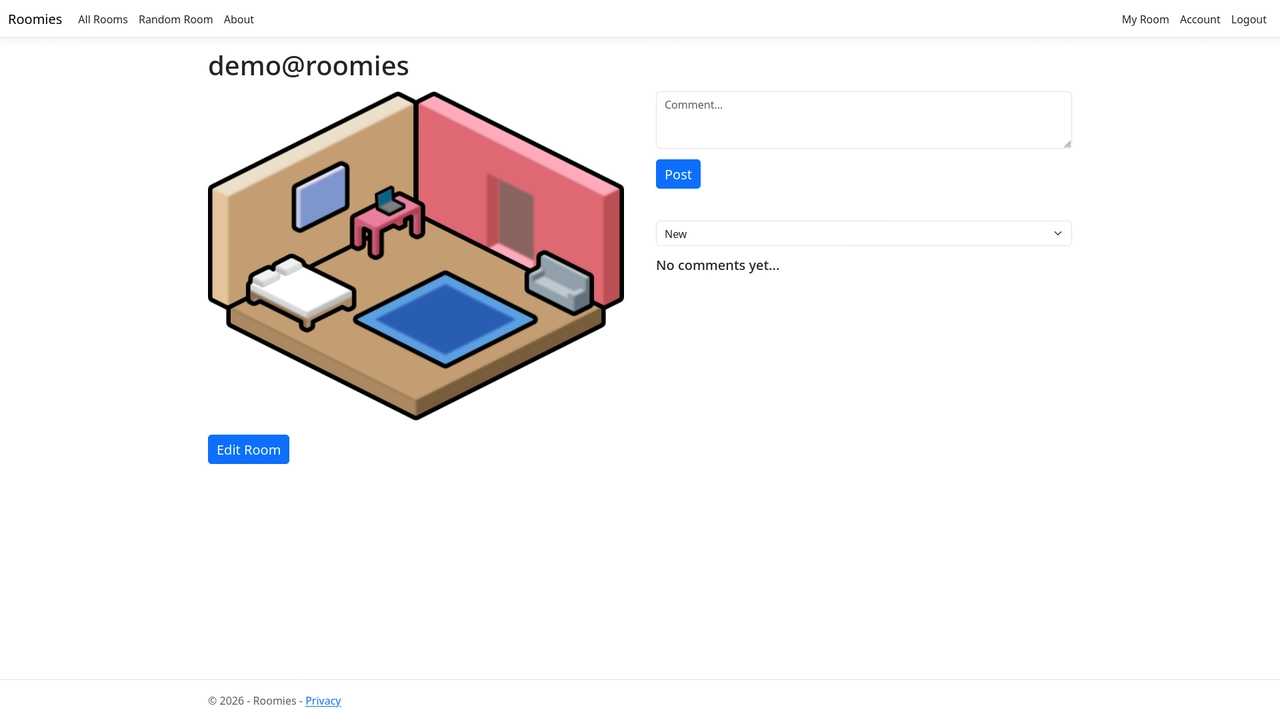
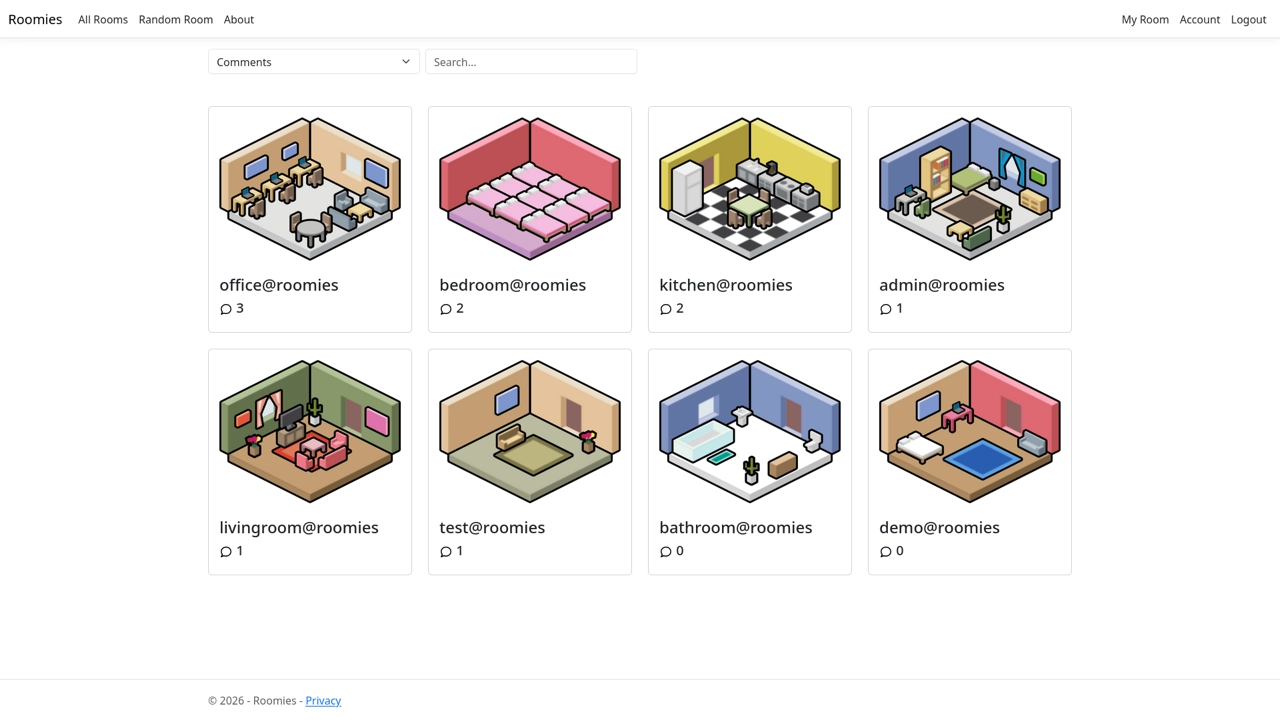
Then came the front page where you can see all rooms, which are displayed with images smaller than if only viewing one room, with username underneath. There is also a way to search for rooms, which just checks the usernames and hides any rooms that don’t match.
// roomList.ts

function search(text: string): void {
    text = text.toLowerCase();
    for (let room of rooms) {
        if (room.getElementsByClassName("card-title")[0].innerHTML.toLowerCase().includes(text)) {
            room.classList.remove("d-none");
        } else {
            room.classList.add("d-none");
        }
    }
}
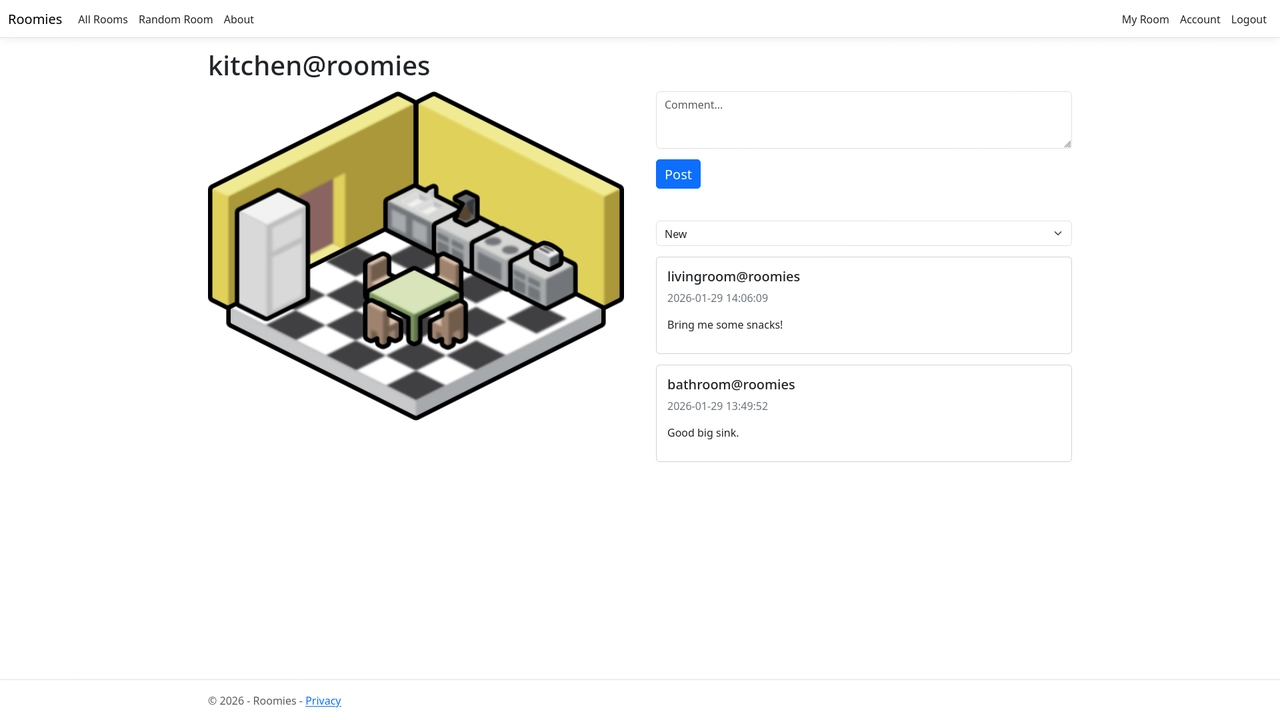
The last thing I added was the ability to comment on rooms. Comments are stored in the SQL database with room ID, user, time, and comment text. On the front page I also added comment counts to rooms and the option to sort by username or most comments.
// HomeController.cs

[HttpPost]
[ValidateAntiForgeryToken]
public async Task<IActionResult> AddComment(string roomID, string text)
{
	Comment comment = new Comment();
	comment.RoomID = roomID;
	comment.Text = text;
	comment.CommentUser = User.FindFirstValue(ClaimTypes.NameIdentifier) ?? "";
	comment.DateTime = DateTime.Now;
	_commentContext.Add(comment);
	await _commentContext.SaveChangesAsync();
	return Redirect("/room/" + roomID);
}
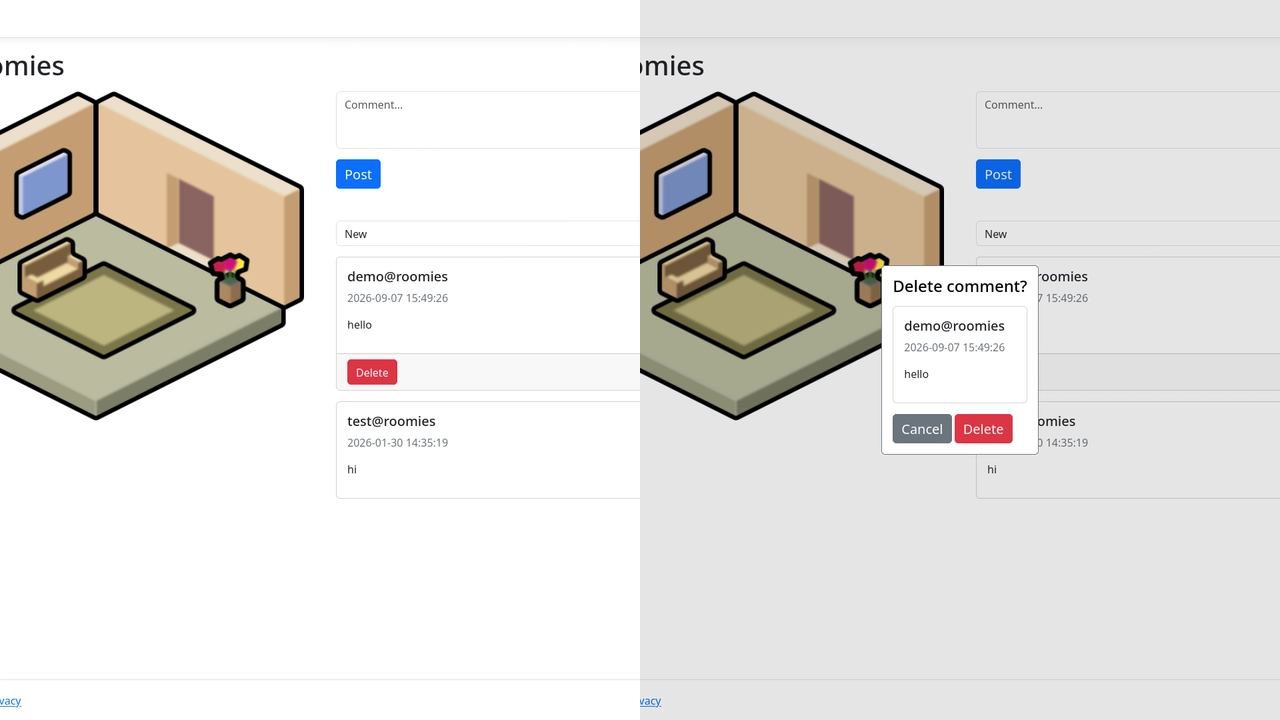
You can delete your own comments, and there is also an admin user role whose only special ability is to delete any comment.
// HomeController.cs

[HttpPost]
[ValidateAntiForgeryToken]
public async Task<IActionResult> DeleteComment(int id)
{
	Comment? comment = await _commentContext.Comments.FindAsync(id);
	if (comment != null)
	{
		string userID = User.FindFirstValue(ClaimTypes.NameIdentifier) ?? "";
		string? roomID = comment.RoomID;
		if (User.IsInRole("Admin") || userID == comment.CommentUser)
		{
			_commentContext.Comments.Remove(comment);
			await _commentContext.SaveChangesAsync();
		}
		return Redirect("/room/" + roomID);
	}
	return NotFound();
}
I originally wanted to add the ability to like rooms as well, but due to time constraints decided to prioritize comments since I thought that was a bit more interesting.